



Your iseekplant profile is often the first impression a hirer has of your business. Before they pick up the phone, they’re reading your company description, checking which machines you run, looking at what past customers have said and deciding whether you’re the right fit for their job.
That’s why it pays to get your profile right. Fully complete profiles get seven times more job requests than incomplete ones, so a little time spent setting things up properly can make a real difference to the construction leads that come your way.
If you’re new to the platform, it’s worth reading how iseekplant works first. Whether you’ve just joined or your profile has been sitting untouched for a while, this guide walks you through the four steps that matter most for Australian construction and civil businesses: completing your profile, listing your fleet and services, collecting customer reviews and using Find More Work to chase down new leads.
Step 1: complete your profile
Your supplier profile is where hirers get a feel for who you are, what you do and the kind of work you’ve delivered. A half-finished profile with no logo and a one-line description doesn’t give them much to go on, and it makes it easy for them to move on to the next supplier.
To set yours up:
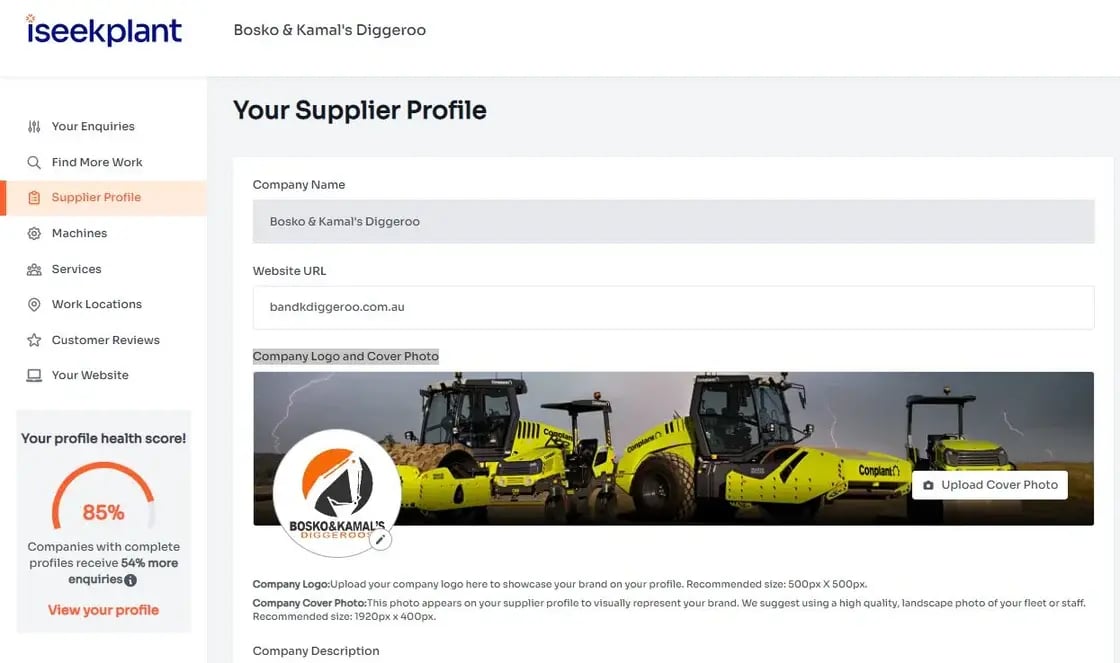
- Log in to your iseekplant account and click Supplier Profile on the left.
- Add your company logo and a cover photo that’s relevant to your business, such as your machines or your crew on site.
- Write a detailed company description that highlights your experience, accomplishments, skills and notable projects.
- List all of your services and spotlight any specialised work you do.
- Click Save changes so your updates are applied.
Tips for writing a strong company description
Aim to keep your company description over 150 words. That gives you enough room to show off your capabilities properly, and it helps improve your online presence too.
If you’re not sure what to write, think about the questions a hirer would ask you over the phone. How long have you been in business? Which areas do you cover? What types of projects do you usually take on, and what are you known for? A couple of standout jobs, the industries you work in and a line about what makes your team good to work with will go a long way. A polished profile attracts more customers, so it’s worth getting right.
Step 2: list your fleet and services
Once your profile is set up, it’s time to show hirers exactly what you can offer. Your listings are how your machines and services appear when someone searches on iseekplant, so the more complete they are, the better your chances of being found.
To add a machine or service:
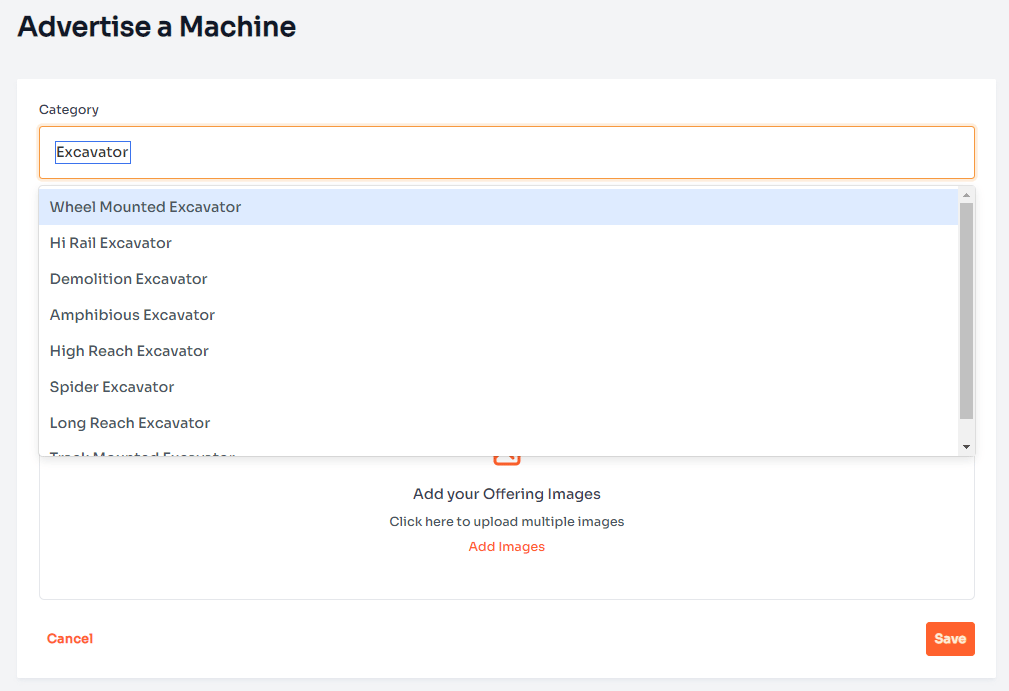
- Log in to your iseekplant account and select Your Listings on the left.
- Click Add a machine or service, then choose the right category from the menu.
- Complete the details, including the subcategory, make, model, year, quantity and hire options.
- Click Add images, then Upload your images.
- Click Save in the bottom right-hand corner to update your listings.
Don’t skip the details in step 3. Filling in this information means your listings appear in filtered searches, so a hirer narrowing down their options can still find you.
Getting your listing photos right
Good photos help hirers see what they’re getting and make your listing stand out. When you upload images:
- Use high-quality, high-resolution images in landscape orientation.
- If you’re a service provider, include an image of your staff.
- Avoid low-resolution images, portrait orientation and cluttered backgrounds.
- Stick to the recommended landscape size of 650 x 350 pixels, in .png or .jpeg format, with a maximum file size of 10 MB.
Repeat this for every machine and service you offer. If you run a mixed fleet, add a listing for each machine type so you show up across all the relevant searches.
Step 3: get customer reviews
Reviews give hirers confidence that you’ll turn up and do the job well. They also help you get found, because the more customer reviews you have on your profile, the higher you’ll rank in iseekplant’s search results.
Replying to reviews matters too. It shows past and future customers that you value their feedback and take your work seriously.
To manage and request reviews:
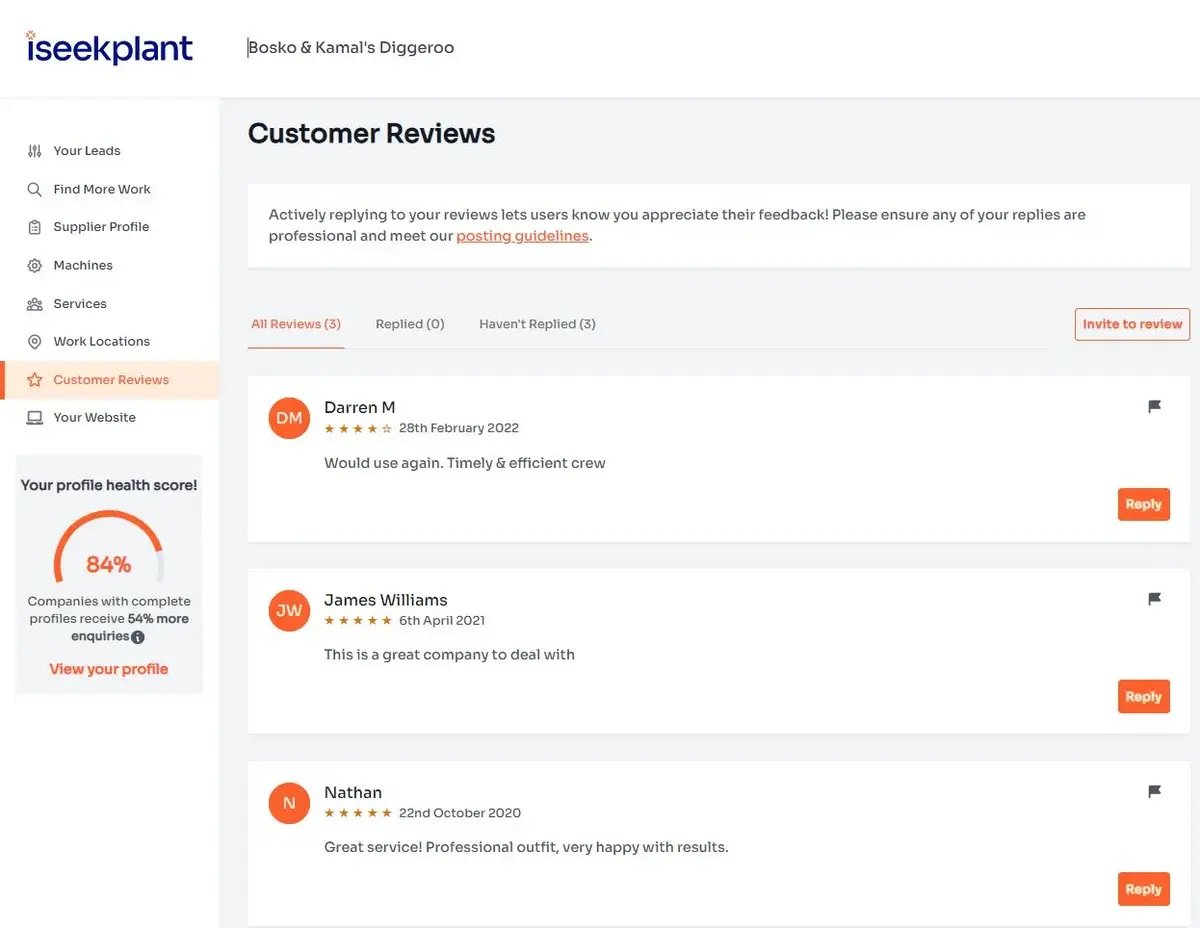
- Log in to your iseekplant account and click Customer Reviews on the left.
- Filter your reviews by Replied and Haven’t Replied to see which ones still need a response.
- Click Reply to respond to a review.
- To ask a customer for a review, click Invite to review and add their name and email address. They’ll be sent a request email.
While you’re in the invite window, keep an eye on the Suggested Reviewers list. It shows people who’ve contacted you through iseekplant, and you can invite them to review your company straight from the list.
Tips for replying to reviews
iseekplant has prepared guidelines for replying to reviews, which you’ll find linked in the Customer Reviews section. As a general rule, keep your replies professional and thank customers for taking the time to leave feedback. If a review raises a concern, respond calmly and explain how you’ve addressed it.
When it comes to asking for reviews, timing helps. Reach out soon after a job wraps up, while the work is still fresh in your customer’s mind.
Step 4: find more work
With a complete profile, detailed listings and a few good reviews behind you, you’re in a strong position to be found. But you don’t have to wait for the phone to ring. Find More Work is a prospecting tool on iseekplant that helps you actively find construction leads that suit your business.
Here’s how it works:
- Click Find More Work.
- Run a search for the type of work you’re looking for, such as earthmoving, excavation or concreting. You can set your location and the category of work to narrow down the results.
- See a lead you want? Click Contact Details to reach the hirer behind the search.
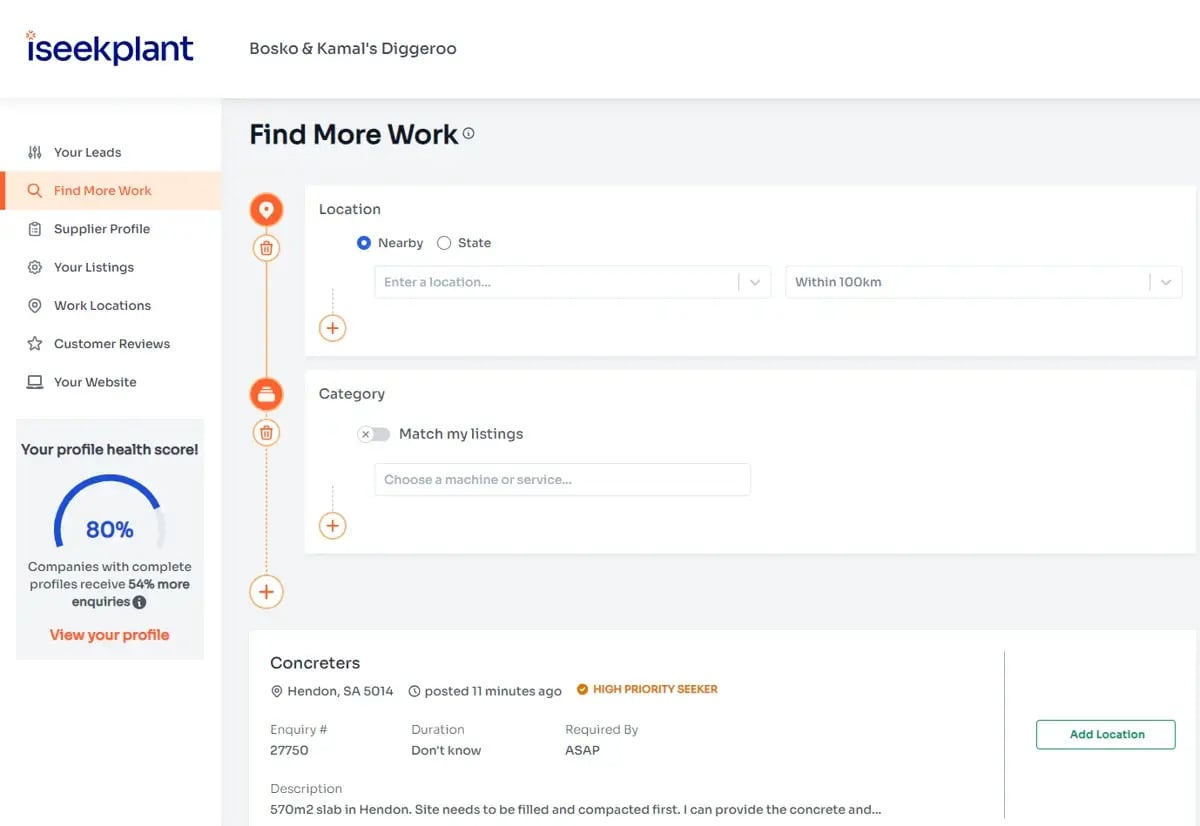
If the button says Add Location or Add Machine/Service instead, your profile doesn’t currently match the job requirements. Update your profile with the right work location or listing to get access. This is where the effort you put into steps one and two really pays off: the more complete your profile is, the more leads you’ll be able to act on.
Keep your profile working for you
Optimising your profile isn’t a set-and-forget job. As your fleet grows, you add new services or you finish projects you’re proud of, keep your profile up to date. That way hirers always see the best of your business, and you’re ready to act on every construction lead that matches what you do.
Need a hand?
If you’re stuck on any part of your profile or membership, the iseekplant customer service team is here to help. Call 1300 691 912 or email customercare@iseekplant.com.au.